
Respuesta breve
Respuesta breve: guarde la mayoría de los cuchillos OTF cerrados a menos que el fabricante indique lo contrario. Aprenda cuándo es aceptable el almacenamiento abierto, qué síntomas indican limpieza o servicio, y
Conclusiones clave
- Las normas sobre cuchillos pueden variar según el estado, la ciudad, el estilo de la hoja, el mecanismo de apertura, el método de porte y el uso previsto.
- Do not treat a product nickname as a legal category; check the actual features and local rule.
- Retailers should keep legal or safety language factual and avoid promising that one item is allowed everywhere.
Terms Used Here
- OTF
- Out-the-front; a knife design where the blade moves forward from the front of the handle.
- Automatic knife
- A knife that opens by a spring-driven mechanism after the user activates a button, switch, or slider.
In this article
- 01 Why closed is the default storage position for most OTF knives
- 02 When storing an OTF open is acceptable
- 03 Symptoms that point to cleaning or service instead of storage position
- 04 1. Debris drag in the blade channel or tracks
- 05 2. Excess lubricant causing sluggish action
- 06 3. Spring or carriage problems
- 07 4. Track rub or blade misalignment
- 08 5. Locking or reset problems
- 09 What not to do
- 10 FAQ
- 11 Can storing an OTF closed weaken the spring?
- 12 Does the answer change for single-action versus double-action OTFs?
- 13 What if my OTF works better after being left open?
- 14 Should I clean or lubricate an OTF before storage?
- 15 When should I stop using it and seek service?
Respuesta breve: Store most OTF knives closed unless the manufacturer specifically says otherwise. If an OTF only works reliably after being left open, treat that as a warning sign of contamination, drag, or a mechanical fault rather than a preferred storage position.
That rule fits the way most out-the-front mechanisms are designed to rest: securely locked closed or securely locked open, with closed being the normal storage state for safety and protection. The useful question is not just open versus closed, but whether the knife still deploys and retracts consistently after sitting unused.
Quick triage
- Normal: The knife stores closed, then deploys and retracts with consistent force after days or weeks of non-use.
- Maybe: The slider feels slightly gritty, there is visible lint in the front opening, or the action seems a little slower but still locks open and closed.
- Stop-use: The blade will not lock open or closed, the slider binds hard, the tip appears to strike the front opening, or the knife only works after being stored open.
Why closed is the default storage position for most OTF knives
For most OTFs, closed storage is the best default because it matches both the safety needs of the knife and the normal resting state of the mechanism.
First, closed protects the blade and the user. With the blade retracted into the handle, the edge and tip are less exposed to accidental contact, drawer impacts, case pressure, and dust entering directly around the blade. On an OTF, that matters because the blade exits through the front opening and the tip area can be vulnerable if the knife is left sitting open.
Second, closed is usually the intended at-rest condition. In a typical OTF, the blade rides on a carriage or carrier, moves along internal track rails, and is driven by a spring system through the thumb slider. Lockup depends on specific sear or lock interfaces that hold the blade in the closed and open positions. On a healthy knife, being stored closed does not normally harm those parts.
This is also where many owners over-focus on “spring memory.” In practice, weak or inconsistent action is more often caused by dirt in the blade channel, too much oil, wear on the carriage or lock surfaces, rough internal tracks, or poor spring quality than by simply leaving the knife closed. Manufacturer manuals for OTFs commonly treat closed carry and closed storage as normal, while giving separate instructions for cleaning, lubrication, reset procedures, and warranty-safe service.
There is one important design note. Double-action OTFs use the slider to both deploy and retract the blade, while single-action OTFs usually fire automatically and require a separate manual reset method. Because the spring arrangement and reset system differ, model-specific maker instructions matter more on single-action designs. Still, the general pattern from manufacturers is the same: store the knife in its normal safe position unless the manual gives a different instruction.
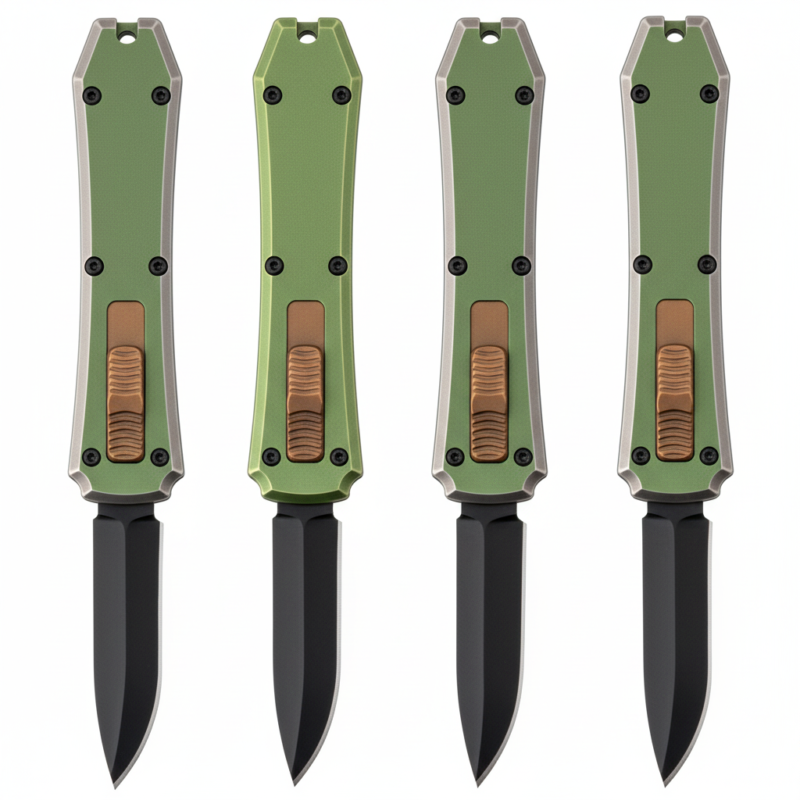
If you sell, inspect, or compare multiple models, that general rule still holds across most resale-ready OTFs: a mechanically sound knife should be able to sit closed, then function normally when needed. For reference, you can review current OTF resale-ready models to compare form factors and deployment styles, but storage and service guidance should always come from the specific maker when available.
When storing an OTF open is acceptable
Open storage is usually acceptable only as a temporary condition, not as a routine habit.
Reasonable short-term cases include:
- inspecting the edge, tip, or grind
- taking product photos or verifying finish details
- performing maker-approved cleaning steps
- short supervised troubleshooting checks
That is different from saying an OTF should be left open overnight, for weeks, or between uses because it “fires better that way.” If a knife seems more reliable after sitting open, that usually points to another variable: debris shifted in the blade channel, excess lubricant redistributed, internal surfaces settled differently, or a worn part happened to engage more cleanly for a while.
In other words, open storage may coincide with better behavior, but it is rarely the actual fix.
This is also where manufacturer guidance should override general advice. Some manuals include specific steps such as:
- use only minimal lubricant, or no routine lubricant unless specified
- flush or clean the blade channel using approved methods
- do not disassemble the handle, because disassembly may void warranty coverage
- reset a misfire using the maker’s recommended procedure rather than forcing the slider
Those are common manufacturer-manual patterns across OTF brands, even though the exact instructions vary by model. So if your knife’s paperwork says to prepare it for storage in a particular way, follow that instead of broad internet advice.
Symptoms that point to cleaning or service instead of storage position
If an OTF acts differently after being stored, the real issue is usually in the mechanism, not in whether the blade was open or closed. The most useful approach is to look for observable signs tied to specific parts.
1. Debris drag in the blade channel or tracks
What you notice: The slider feels gritty, the front opening shows lint or pocket dust, and the action improves after approved cleaning.
Parts involved: blade channel, track rails, carriage, slider interface.
OTFs are more sensitive to contamination than many manual folders because the blade and carriage move inside a narrow path. Lint, packing fibers, dried residue, or fine grit can slow the blade enough to create weak deployment or inconsistent retraction.
2. Excess lubricant causing sluggish action
What you notice: The action feels slow rather than gritty, oil appears around the front opening, and dust sticks inside the handle more than usual.
Parts involved: blade track, carriage surfaces, spring-driven moving interfaces.
Many OTF makers warn against over-oiling because excess fluid attracts debris and can thicken into drag. If the manual does not call for regular oiling, adding more lubricant is a poor first guess.
3. Spring or carriage problems
What you notice: The knife is visibly clean, but the blade repeatedly stops short of lockup, launches weakly, or fails more often in one direction.
Parts involved: drive spring, carriage, lock tabs or sear surfaces.
This is more serious than ordinary dirt. A weak spring, worn carriage engagement point, or damaged lock interface can produce symptoms that owners mistakenly blame on storage position.
4. Track rub or blade misalignment
What you notice: You hear scraping, see one-sided wear marks, or notice the tip or blade coating contacting the front opening.
Parts involved: blade, track rails, chassis alignment surfaces, front opening geometry.
If the blade is rubbing hard enough to slow travel, leaving it open will not solve the root cause. Continued use can make the wear worse.
5. Locking or reset problems
What you notice: The blade will not stay locked open or closed, self-resets unexpectedly, or behavior changes sharply from one day to the next.
Parts involved: sear or lock surfaces, carriage engagement points, slider linkage.
That is a service issue, not a storage preference. On many OTFs, repeated misfires can be reset, but repeated failure during normal operation is not normal.
What not to do
- Do not use long-term open storage as a workaround for poor action.
- Do not flood the mechanism with oil hoping to free it up.
- Do not force the slider through a hard bind if you feel scraping or sudden resistance.
- Do not disassemble the knife unless the manufacturer clearly allows it and provides instructions; many makers treat disassembly as a warranty issue.
If the knife only behaves after being stored open, the safest conclusion is that it needs cleaning, inspection, or maker service.
FAQ
Can storing an OTF closed weaken the spring?
Usually no. In most real-world cases, contamination, wear, poor spring quality, or internal drag are more likely causes of weak action than closed storage.
Does the answer change for single-action versus double-action OTFs?
The mechanism differs, especially in how the spring is tensioned and reset, so always check the manual. But as a general rule, most are still stored in their normal safe resting position unless the maker says otherwise.
What if my OTF works better after being left open?
That is usually a symptom, not a benefit. Look for debris, excess oil, carriage drag, spring weakness, or lock-surface wear.
Should I clean or lubricate an OTF before storage?
Clean visible debris if needed, but lubricate only according to the maker’s instructions. Many OTFs perform worse when over-oiled.
When should I stop using it and seek service?
Stop using the knife if it will not lock open or closed, the slider binds hard, the tip appears to hit the front opening, or the knife only functions after being stored open. If you need account-level support for model sourcing rather than repair guidance, use the reseller and distributor inquiry page.